The Inbox — conversations explained
In one sentence
The Inbox is your shared team counter: every WhatsApp conversation lands here, and your whole team can read, reply, and hand chats to each other in real time.
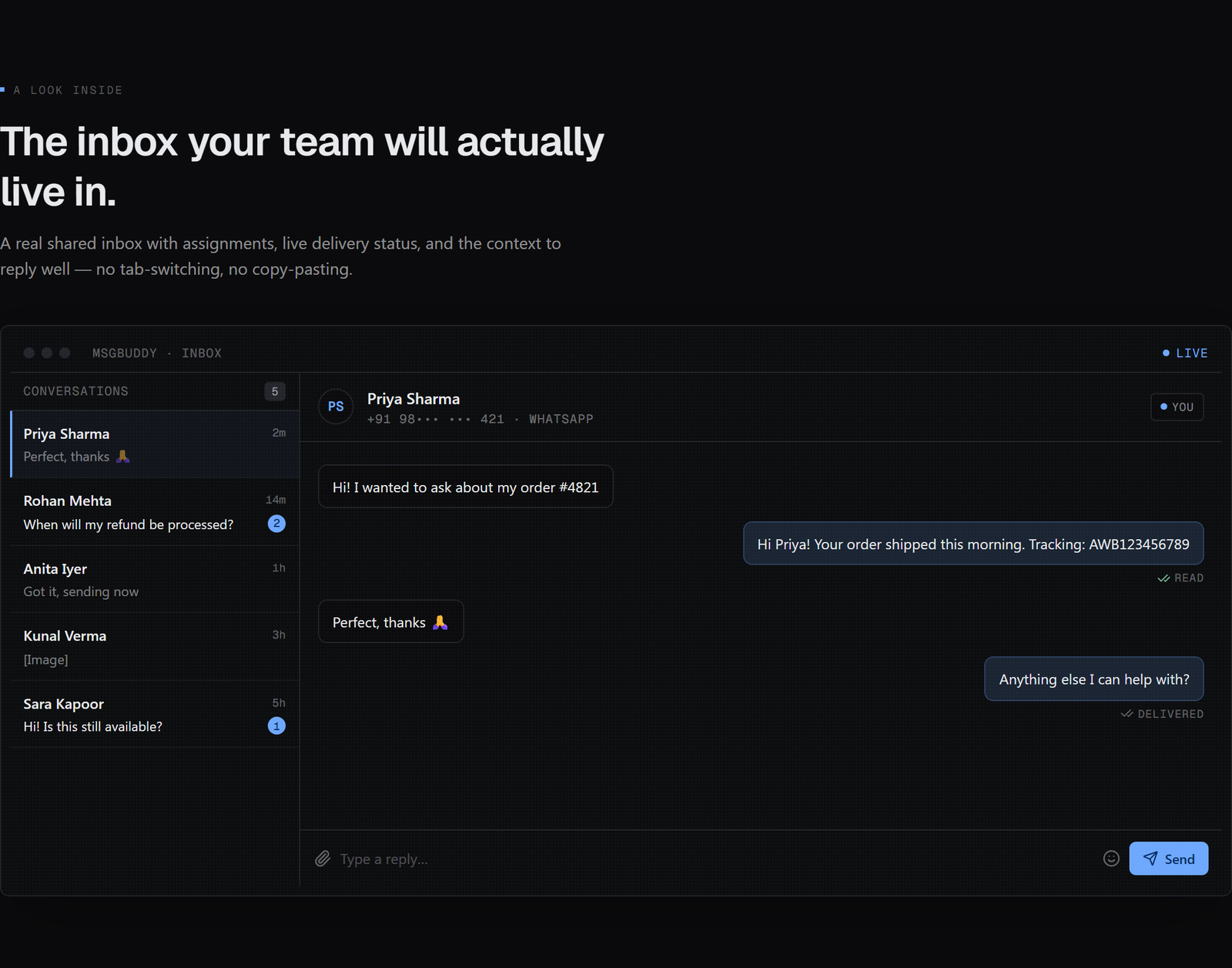
What a conversation is
A conversation is the ongoing thread between your business and one contact on one channel. Open a conversation and you see the full back-and-forth, newest at the bottom, just like WhatsApp — except the whole team shares it.

One conversation per channel. Your WhatsApp thread with a customer is one conversation. If you later add SMS and they text you, that’s a separate conversation — same person, different doorway. This keeps each channel’s history clean.
The three-pane layout
Most of your day happens on one screen:
| Pane | What it shows |
|---|---|
| List (left) | All conversations, newest activity on top, with unread badges. Filter by status or who it’s assigned to. |
| Thread (middle) | The selected conversation — messages, media, and the box where you reply. |
| Context (right) | The contact’s details, notes, and tasks — so you have background while you type. |
Real-time, as a team
The Inbox updates live. When a customer replies, it pops to the top instantly; when a teammate is typing, you can see it. The small live status pill in the top bar tells you the real-time connection is healthy.

The unread badge and ordering are your worklist. A common rhythm: filter to Open + assigned to me, work top-to-bottom, and close each chat when it’s handled.
What you can do here (the rest of this chapter)
- Claim, assign, and set the status of conversations.
- Send messages and track delivery (sent → delivered → read).
- Understand the 24-hour window — when you can reply freely.
- Send a template when you’re outside that window.
- Work faster with canned replies, internal notes, and tasks.
- Know who’s driving a conversation — you or a bot.
How this connects
- Every conversation ties to a Contact (the context pane is that contact).
- Replies obey the 24-hour window and opt-out rules.
- Bots and automations can answer inside these same conversations — see Who’s driving?.